Media Upload Guidelines
Follow these quick rules to upload high-quality photos & videos without any errors
Photo Uploads
JPG, PNG, WEBP, GIF (Up to 99+ per posts)
Video Uploads
MP4, WebM (Up to 3GB)
1
Network Error?
If you encounter the following problems while uploading a video or image, then easily check how to upload it step by step.
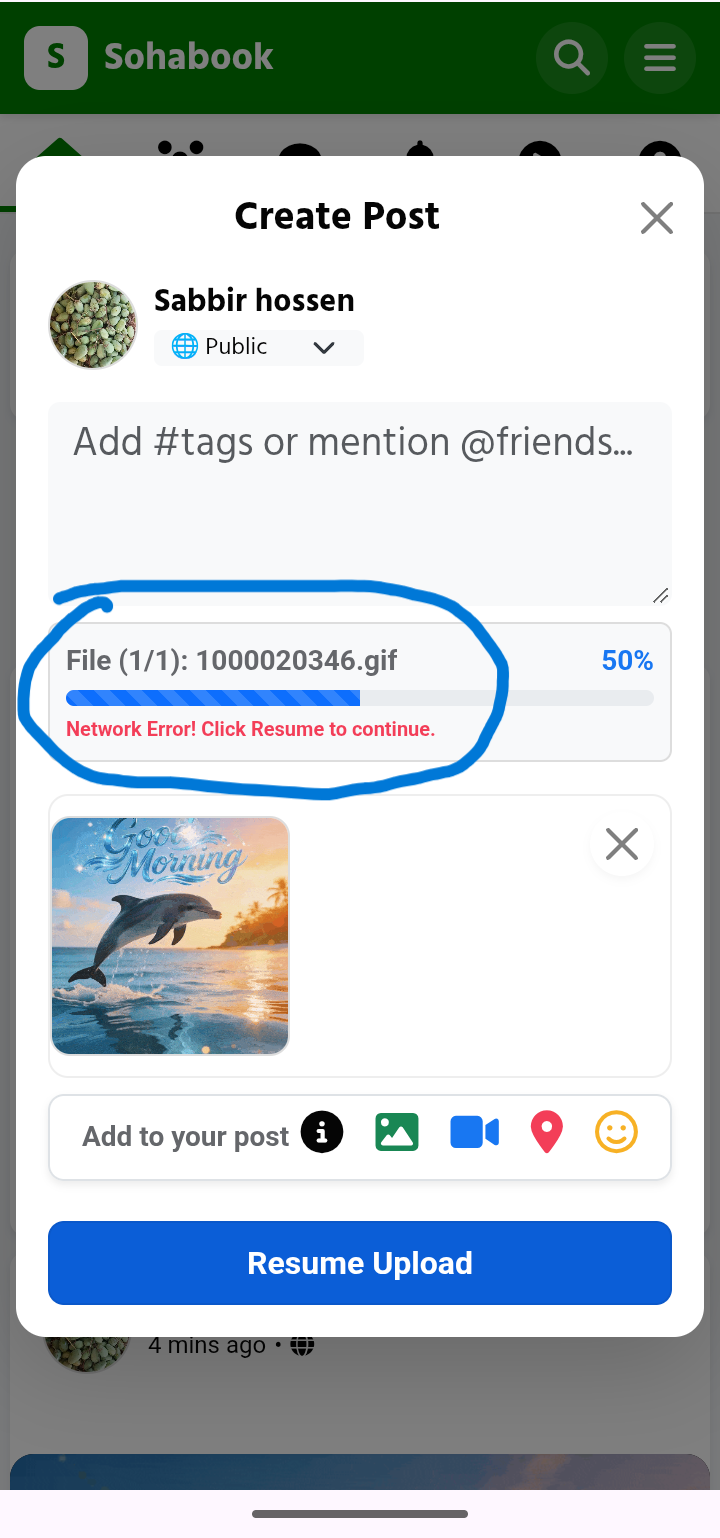
2
Image/Video Upload Guidelines
To ensure smooth playback on both smartphones and computer web browsers, videos must be in standard MP4 format (H.264/AAC codec). For iPhone users, ensure your camera format is set to Most Compatible.
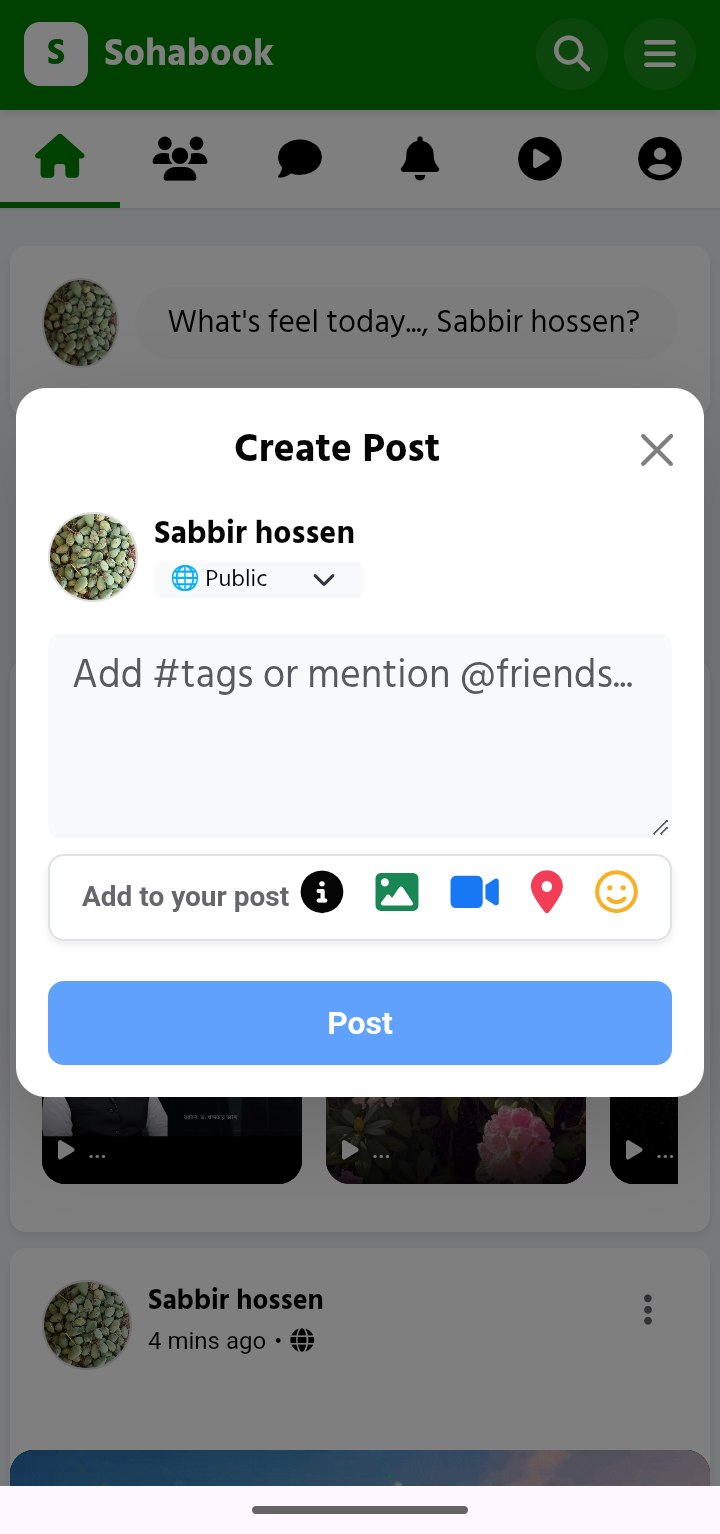
Step 2.1: Open post box
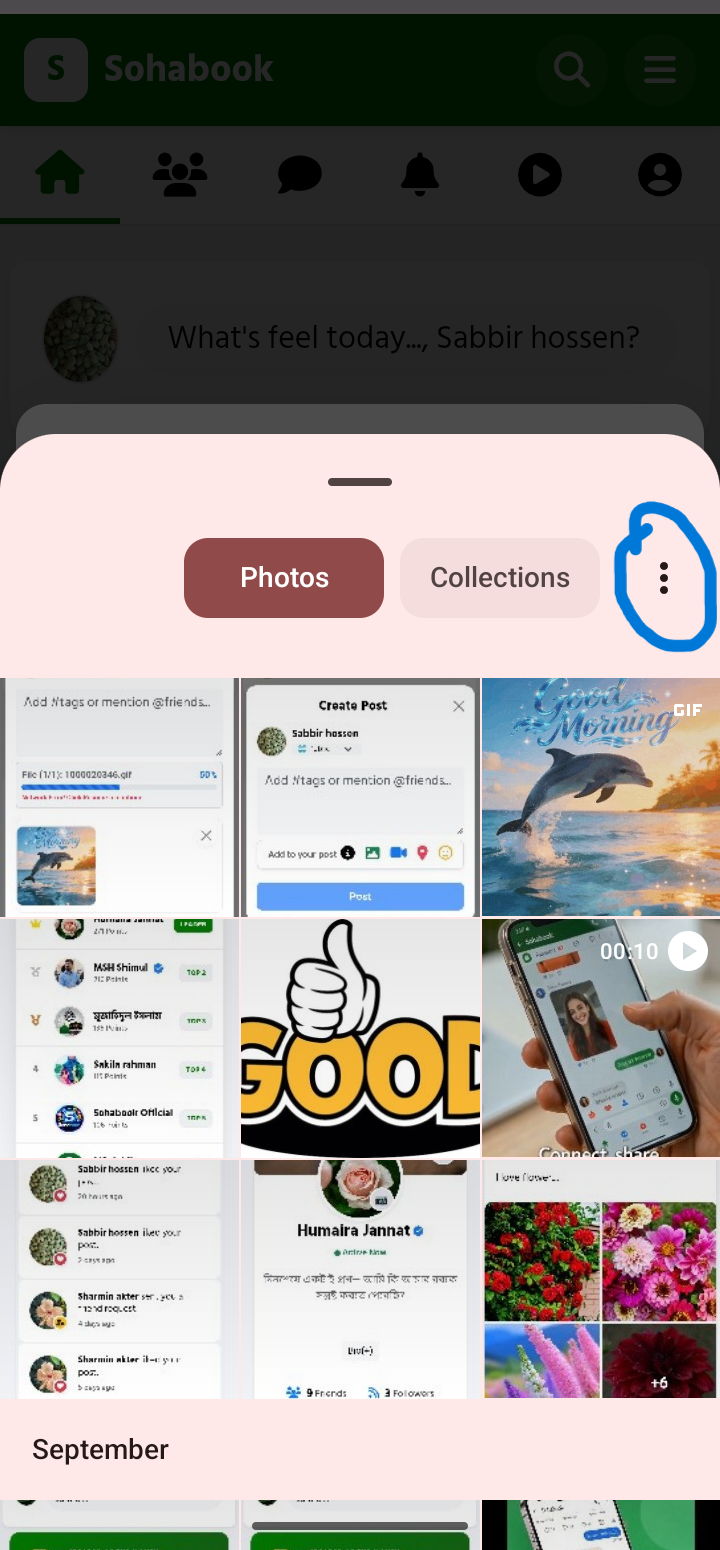
Step 2.2: Click 3 dot Menu
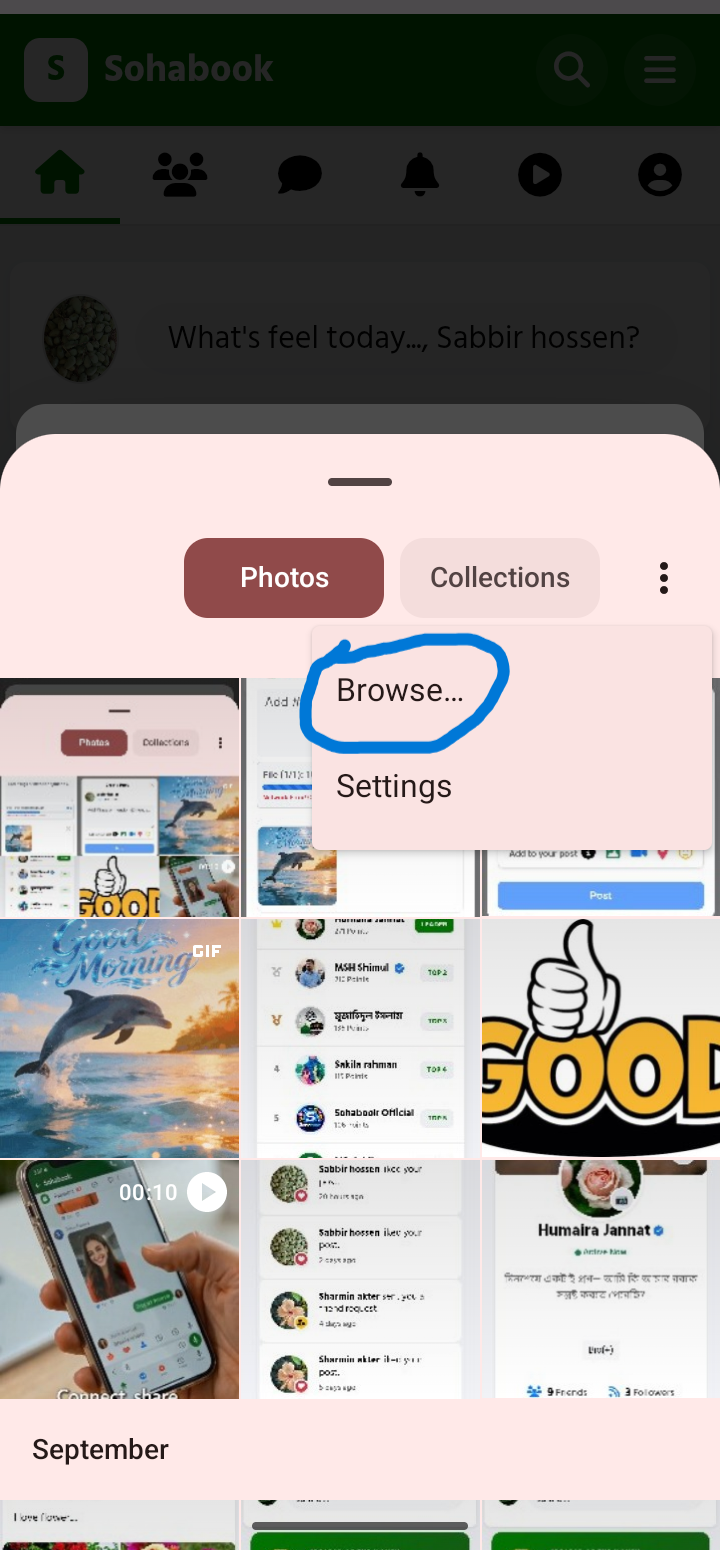
Step 2.3: Click Browse..
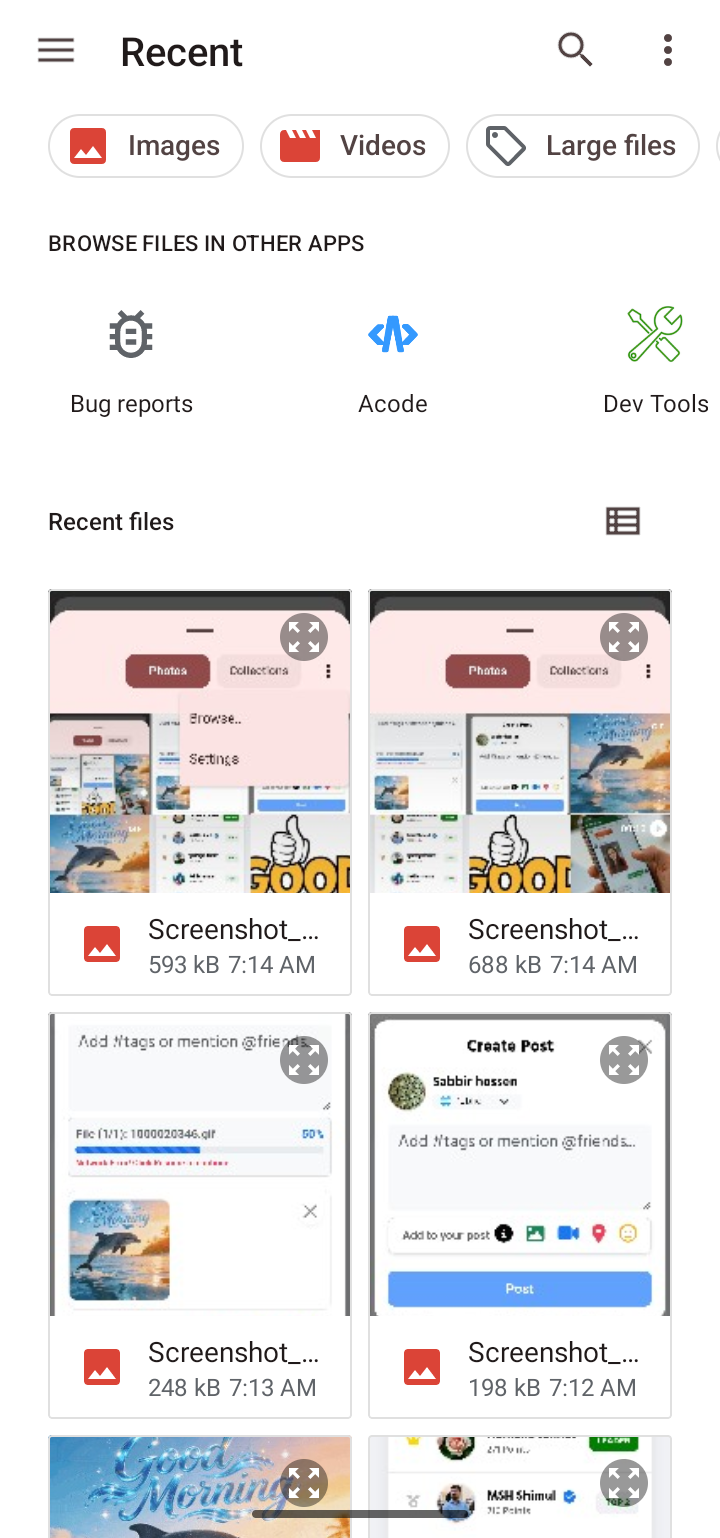
Step 2.4: Select any Image/Video..
Pro Tip: Compressing high-bitrate 4K videos using a video compressor app before uploading ensures lightning-fast processing and zero buffering.
3
Wait for Upload Completion
Once you click the Post button, larger media files take a few moments to transfer to our secure servers. Please do not close the app or refresh the browser until the upload is 100% finished.